
Welcome to the Graeme High School parents' evening booking system. Please note that our parent evenings are held virually and details are on the Virtual Parents' and Carers' Evening page here.

Step 1: Login
Fill out the details on the page then click the Log In button. A confirmation of your appointments will be sent to the email address you provide.
Please use your child’s preferred forename.
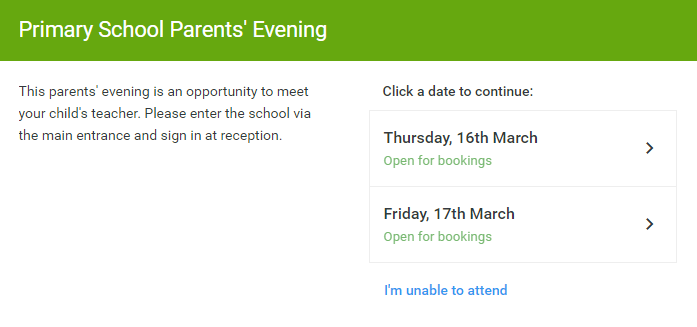
Step 2: Select Parents’ Evening
Click on the date you wish to book.
Unable to make all of the dates listed? Click I'm unable to attend.
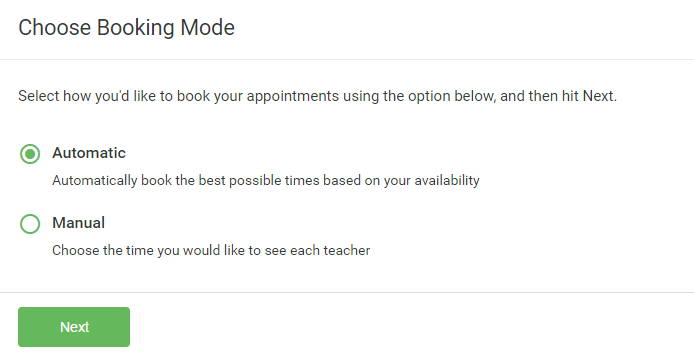
Step 3: Select Booking Mode
Choose Automatic if you'd like the system to suggest the shortest possible appointment schedule based on the times you're available to attend. Or if you'd rather choose the times to book with each teacher, choose Manual. Then press Next.
We recommend choosing the automatic booking mode when browsing on a mobile phone.

Step 4: Choose Teachers
If you chose the automatic booking mode, drag the sliders at the top of the screen to indicate the earliest and latest you can attend.
To add appointments for another child, press the Add Another Child button at the bottom and then repeat this step.
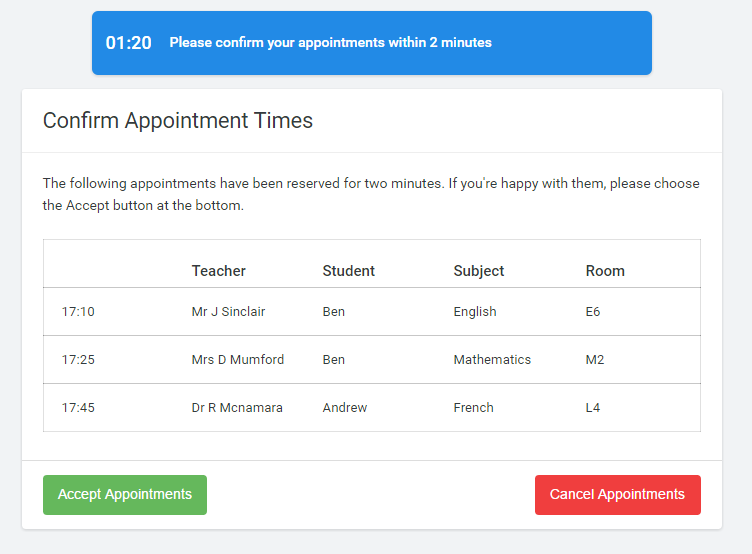
Step 5a (Automatic): Book Appointments
If you chose the automatic booking mode, you should see provisional appointments which are held for 2 minutes. To keep them, choose Accept at the bottom left.
If it wasn’t possible to book every selected teacher during the times you are able to attend, you can either adjust the teachers you wish to meet with and try again, or switch to manual booking mode (Step 5b).
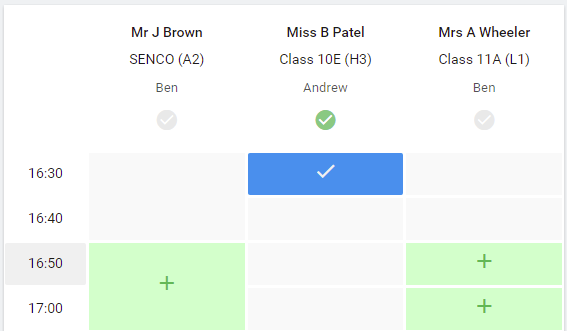
Step 5b (Manual): Book Appointments
Click any of the green cells to make an appointment. Blue cells signify where you already have an appointment. Grey cells are unavailable.
To change an appointment, delete the original by hovering over the blue box and clicking Delete. Then choose an alternate time.
Once you’re finished booking all appointments, at the top of the page in the alert box, press click here to finish the booking process.
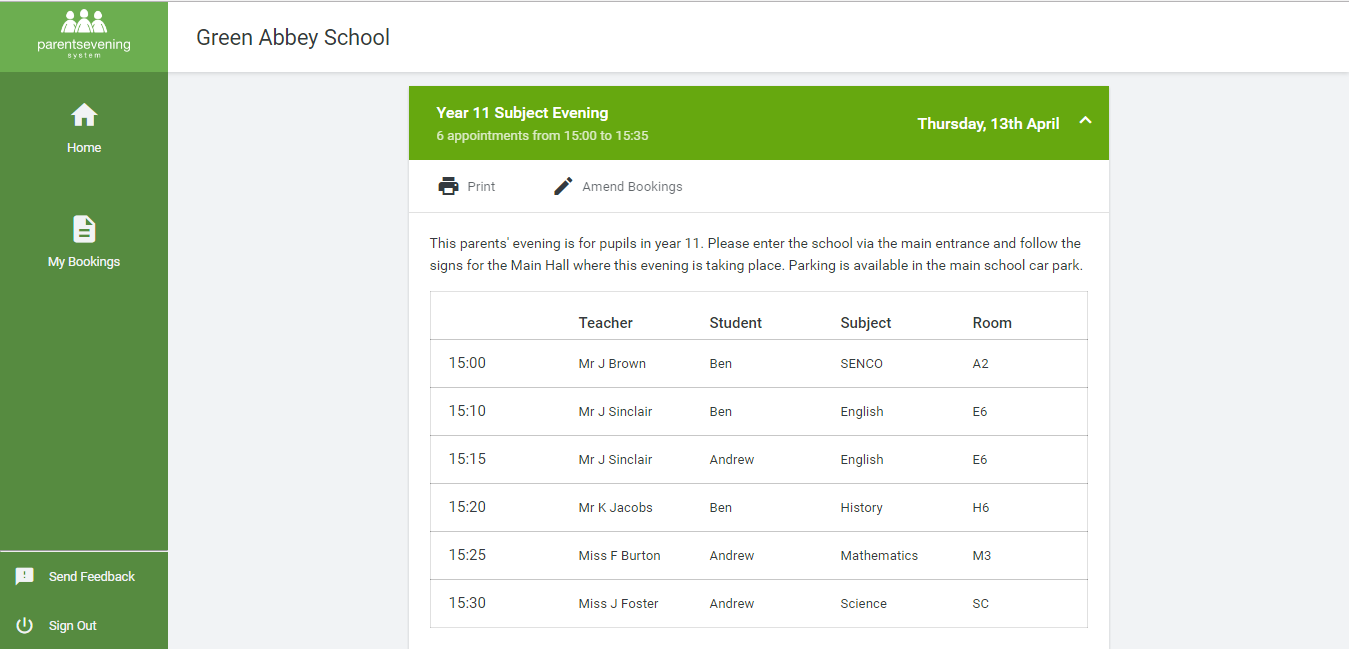
Step 6: Finished
You’re now on the My Bookings page and all your bookings are below. An email confirmation has been sent and you can also print appointments from this page by pressing Print.
To change your appointments, click on Amend Bookings.